kasmweb/redroid
Redroid (Remote-Android) for Kasm Workspaces
100K+
kasmweb/redroid repository overview
Kasm Workspaces is a docker container streaming platform for delivering browser-based access to desktops, applications, and web services.
Live Demo

Launch a real-time demo in a new browser window: Live Demo.
∗Note: Demo is limited to 3 minutes and has upload/downloads restricted for security purposes.
Get Started
Try out our no-cost Community Edition: Download.
Our Kasm Workspaces team has open-sourced our library of images (Info & Source Code).
The web-native rendering is powered by our open-source project: KasmVNC.
About This Image
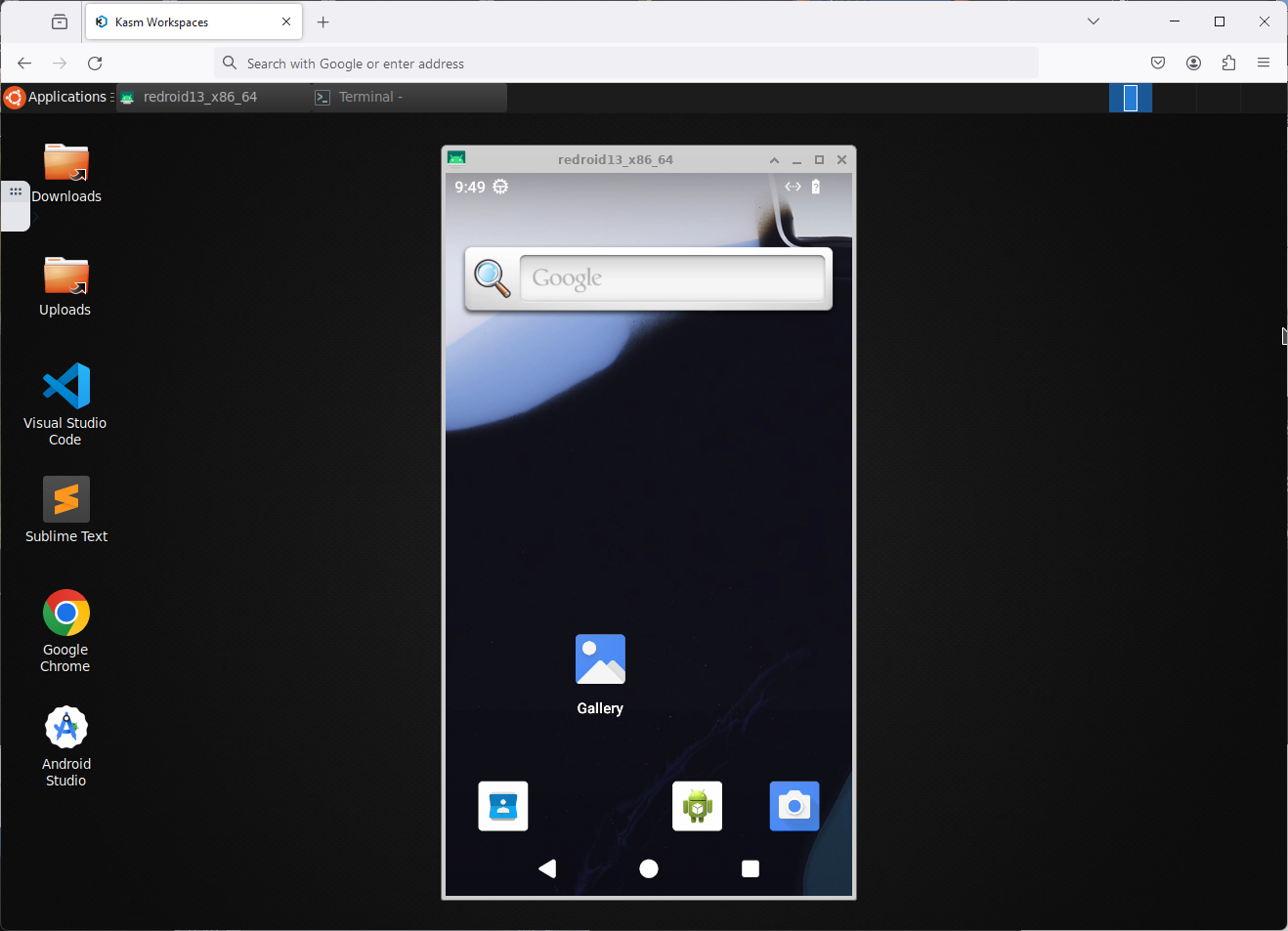
This experimental image contains a browser-accessible version of Redroid. redroid (Remote-Android) is a multi-arch, GPU enabled, Android in Cloud solution.
The image utilizes Docker in Docker (DinD) to automate launching Redroid and scrcpy docs.
Host Dependencies
This image requires the "binder_linux" host level kernel modules installed and enabled.
Below is an example for installing binder_linux on Ubuntu 22.04 LTS host
sudo apt install linux-modules-extra-`uname -r`
sudo modprobe binder_linux devices="binder,hwbinder,vndbinder"
See Redroid Docs for more details.
Container Permissions
Using this container requires the --privileged flag to power both the Docker in Docker processes and the permissions
needed by the redroid containers
sudo docker run --rm -it --privileged --shm-size=512m -p 6901:6901 -e VNC_PW=password kasmweb/redroid:develop
Example for installing binder_linux on Ubuntu 22.04 LTS host
sudo apt install linux-modules-extra-`uname -r`
sudo modprobe binder_linux devices="binder,hwbinder,vndbinder"
The left ALT key is mapped as the hotkey for scrcpy
- Alt+R - rotate the android device
- Alt+F - fullscreen the android device
- Alt+Up/Alt+Down - Increase the volume of the device
See scrcpy docs for more details.
Environment Variables
REDROID_GPU_GUEST_MODE- Used to instruct redroid to utilize GPU rendering. Options areauto,guest, andhostREDROID_FPS- Set the maximum FPS for redroid and scrcpy.REDROID_WIDTH- Set the desired width of the redroid device.REDROID_HEIGHT- Set the desired height of the redroid device.REDROID_DPI- Set the desired DPI of the redroid device.REDROID_SHOW_CONSOLE- Display the scrcpy console after launching the redroid device.REDROID_DISABLE_AUTOSTART- If set to "1", the container will not automatically pull and start the redroid container and scrcpy.REDROID_DISABLE_HOST_CHECKS- If set to "1", the container will not check for the presence of required host level kernel modules.ANDROID_VERSION- The version of android (redroid) image to automatically load. Options are14.0.0,13.0.0(Default),12.0.0,11.0.0,10.0.0,9.0.0,8.1.0.
Stand-alone Deployment
This image was designed to run natively within Kasm Workspaces, but it can also be deployed stand-alone and accessed through a web browser.
sudo docker run --rm -it --shm-size=512m -p 6901:6901 -e VNC_PW=password kasmweb/redroid:1.18.0
The container is now accessible via a browser : https://IP_OF_SERVER:6901
- User : kasm_user
- Password: password
Please note that some functionality, such as audio, uploads, downloads, and microphone pass-through, is only available when using Kasm Workspaces for orchestration.
Tags
-
1.18.0
- Images are built and tagged with the Kasm Workspaces release version.
-
1.18.0-rolling
- Rolling tags are images that are updated and built nightly to ensure your images are running the latest version.
-
develop
- The develop tag is for testing and provides no expectation of compatibility.
Additional Info
-
Source Code
- KasmVNC GitHub: Open-Source VNC server: web-native, secure, high-performance.
- Images GitHub: Library of Workspaces Docker images.
- Core Images GitHub: Library of core OS baselines for custom images.
-
Workspaces Documentation
- Developer API: Integrate with your applications and workflows.
- Workspaces: Instructions for installing and configuring Kasm Workspaces.
- Custom Images: Info on configuring custom images and installing software.
-
Reporting Issues
- Issue Tracker GitHub: Community issue reporting.
Tag summary
Content type
Image
Digest
sha256:8d6dd70b4…
Size
1.6 GB
Last updated
19 minutes ago
docker pull kasmweb/redroid:1.18.0-rolling-dailyThis week's pulls
Pulls:
3,560
Last week